Appearance
Setting up your environment
This section will guide you through setting up your environment for the workshop.
Creating your repo
Once you're logged in, create a new repository, you can name it anything you want.
WARNING
Make sure to tick the checkbox that says "Add a README file", if not, you won't be able to create a codespace! 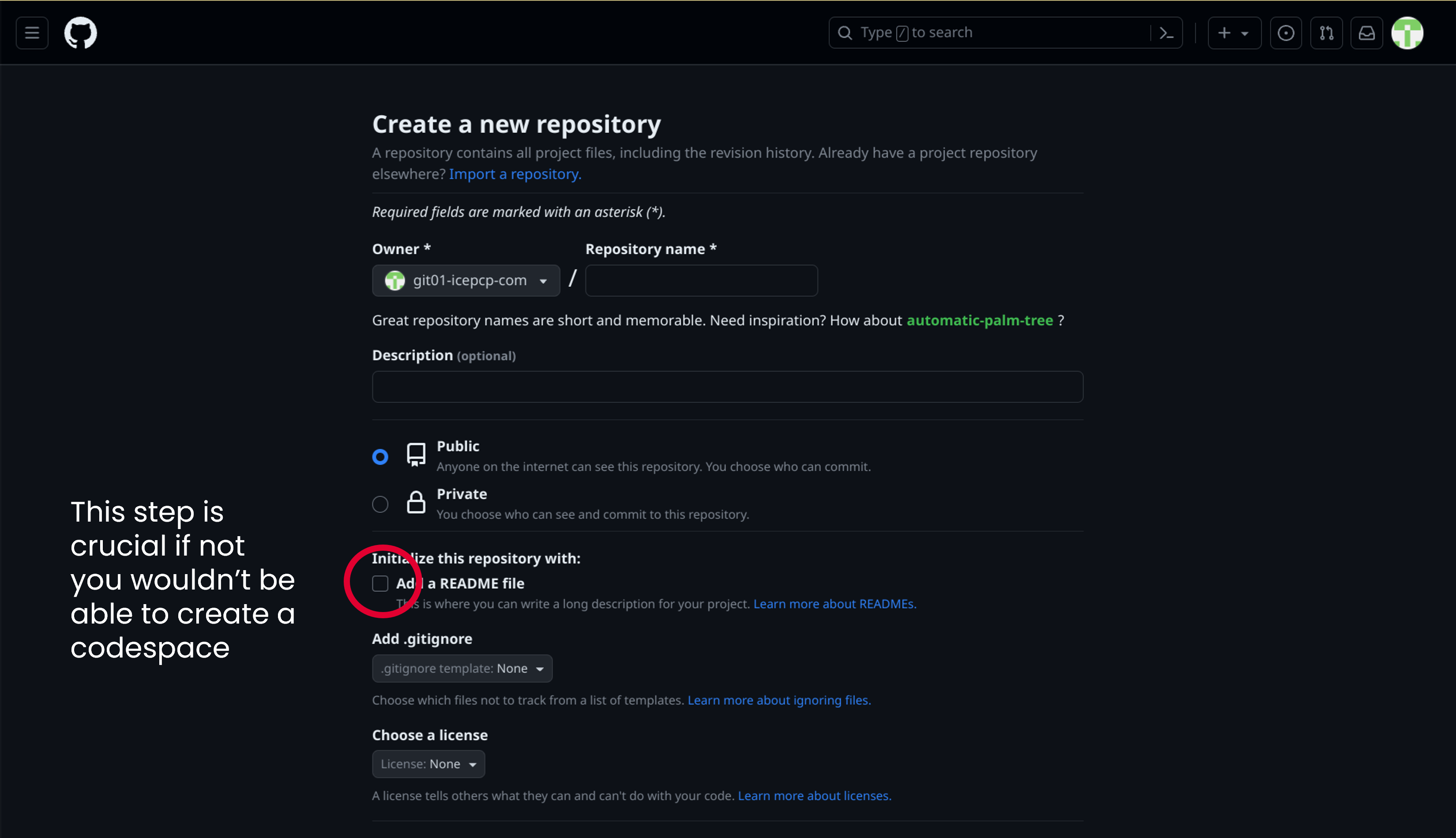
Setting up a Codespace
Head to your repo and click on the "Code" button, then click on "New Codespace"
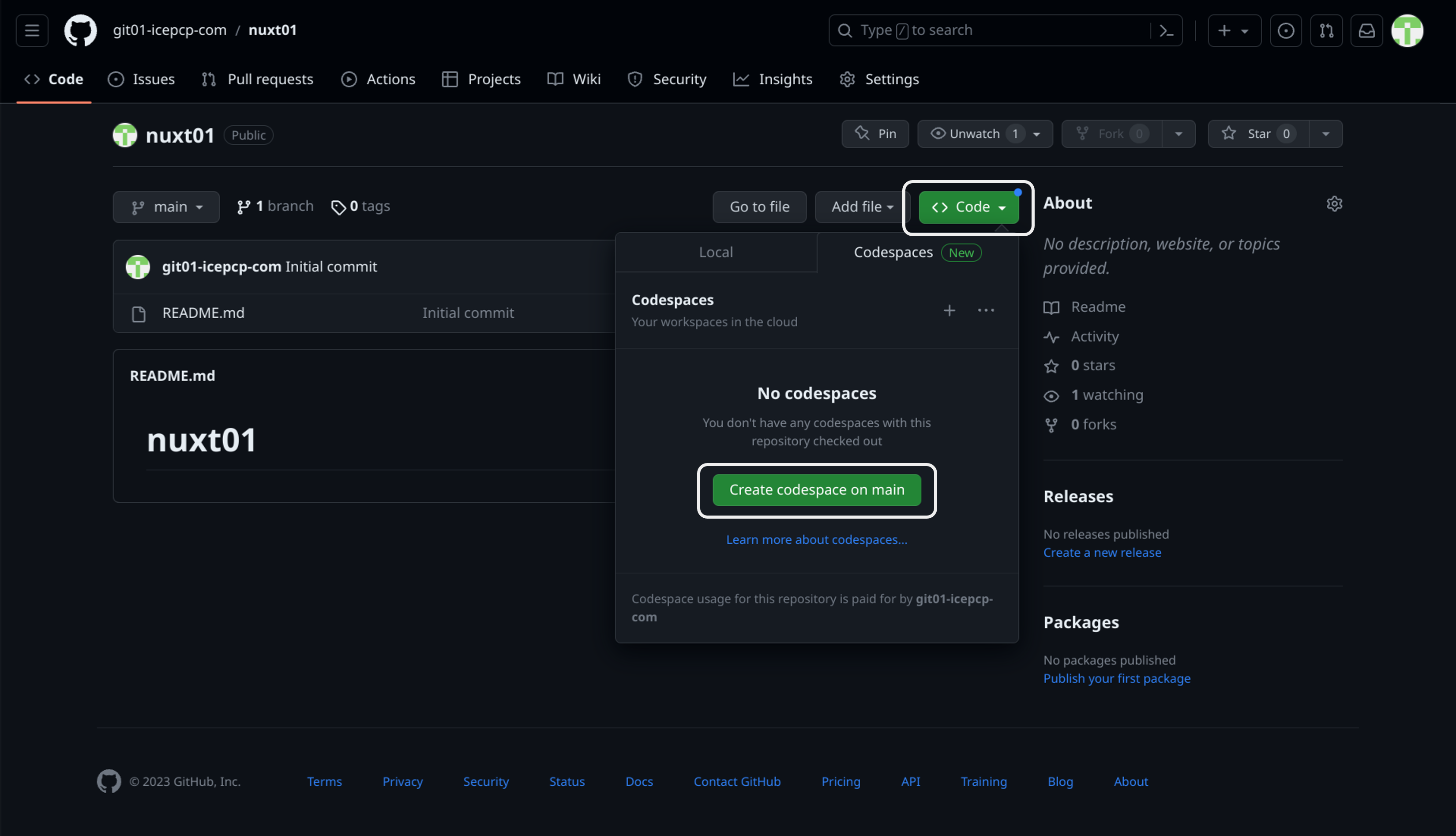
Congrats! You've successfully created your codespace! Now, let's learn more a bit about the interface of Visual Code